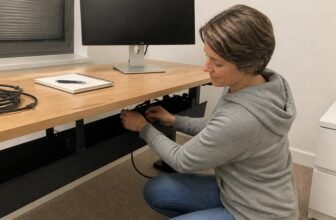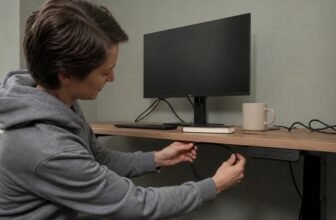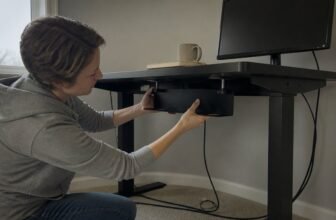
Recessed power grommets are the key to decluttering any standing desk, but the right one depends on your setup.
If you are tired of cords tangling around your frame while you work, your desk hole size and charging needs decide everything.
This roundup covers wired and wireless hubs, outlet counts, and USB wattage so you can match a grommet to your laptop, phone, or desktop PC.
Measure your cutout first, then find the model that fits your daily workflow.
How We Tested
Specifications matter most when matching a grommet to your standing desk’s pre drilled hole, which typically ranges from 2 to 3.15 inches, so measure before buying. For laptop charging, seek a 65W or higher USB-C PD port to replace a power brick, while checking if ports share wattage, as shared outputs can drop from 65W to 30W.
Value comes from choosing a grommet that fits your clutter reduction goals without overpaying for unused capacity. Compare the highest wattage option at 102W, which provides eight USB ports and two AC outlets, against simpler models, since you decide whether extra ports justify the cost for your desk setup.
Editorial judgment can be applied by weighing how the fastest charging pick, a model with two 65W USB-C ports, meets your need for full laptop speeds. Since the source lists these features without confirming testing, readers should evaluate which combination of port count and wattage best supports their ergonomic workstation and device load.
| TOPGREENER Gold Desktop Power Grommet GaN 60W |  | GaN Powerhouse | Charging Ports: 1x USB-C (60W PD), 2x USB-A (5V/1.5A) | Cutout Size: 3-1/8 inch diameter | AC Outlets: 1 duplex outlet (15A) | SEARCH BEST PRICE | Read Our Analysis |
| Haylink Recessed Power Strip with USB-C and USB-A |  | Fastest Charging | Charging Ports: 2x USB-C (65W each), 1x USB-A (20W PD) | Cutout Size: 3 inch | AC Outlets: 2 outlets (12A) | SEARCH BEST PRICE | Read Our Analysis |
| Desk Power Grommet with USB-C Charging |  | Compact & Capable | Charging Ports: 2x USB-C (45W each), 1x USB-A (18W) | Cutout Size: 2 inch (50mm) | AC Outlets: 1 outlet (10A) | SEARCH BEST PRICE | Read Our Analysis |
| VILONG 102W Recessed Power Grommet 8 USB Ports |  | 8-Port Power Hub | Charging Ports: 4x USB-C (67W max each), 4x USB-A (35W max each) | Cutout Size: 3.15 inch (80mm) | AC Outlets: 2 outlets (15A) | SEARCH BEST PRICE | Read Our Analysis |
| Desk Power Grommet Outlet with USB-C | 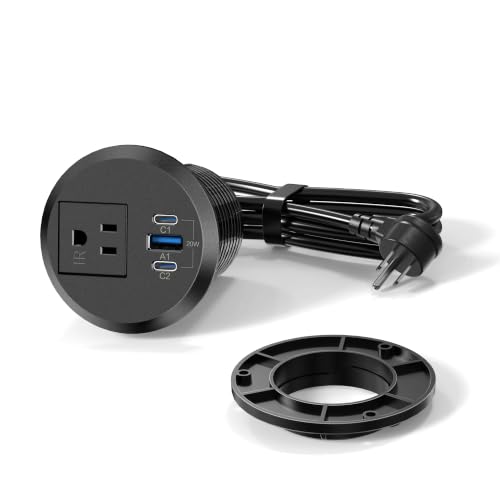 | Budget Alternative | Charging Ports: 2x USB-C (20W), 1x USB-A (18W) | Cutout Size: 2 inch (50mm) | AC Outlets: 1 outlet (10A) | SEARCH BEST PRICE | Read Our Analysis |
| 2.5″ Desktop Power Grommet USB-C & USB-A |  | Unique Sized Fit | Charging Ports: 2x USB-C (20W each), 2x USB-A (18W each) | Cutout Size: 2.5 inch | AC Outlets: 1 outlet (12A) | SEARCH BEST PRICE | Read Our Analysis |
| Desk Grommet Power Strip with USB-C 6.5ft Cord |  | Most Outlets | Charging Ports: 2x USB-C (15W max each), 1x USB-A (12W) | Cutout Size: 3.15 inch | AC Outlets: 4 outlets (15A) | SEARCH BEST PRICE | Read Our Analysis |
| VILONG Desk Recessed Power Grommet with 20W USB-C |  | ETL Certified | Charging Ports: 1x USB-C PD 20W, 1x USB-A QC3.0 | Cutout Size: 2-2.4 inch (50-60mm) | AC Outlets: 1 outlet (12A) | SEARCH BEST PRICE | Read Our Analysis |
| USB-C PD 20W Desktop Power Grommet | 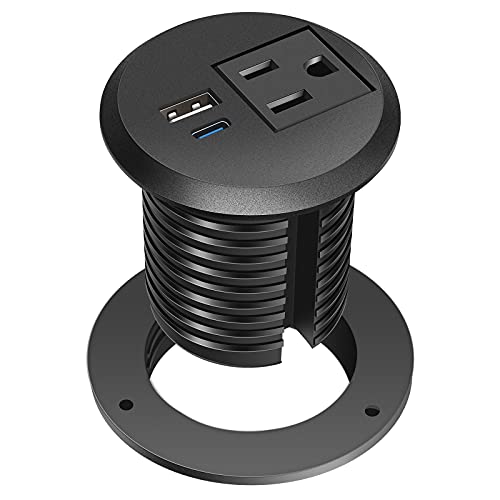 | Simple & Subtle | Charging Ports: 1x USB-C PD 20W, 1x USB-A | Cutout Size: 2 inch | AC Outlets: 1 outlet | SEARCH BEST PRICE | Read Our Analysis |
| 100W USB-C Power Grommet 5 Outlets 4 USB |  | 100W USB-C Power | Charging Ports: 2x USB-C (100W PD & 30W PD), 2x USB-A (18W) | Cutout Size: 4 inch | AC Outlets: 5 outlets (15A) | SEARCH BEST PRICE | Read Our Analysis |
| Desktop Power Grommet with USB-C and Network Ports |  | With Network Port | Charging Ports: 1x USB-C PD 20W, 2x USB-A (18W total) | Cutout Size: 3-1/2 inch | AC Outlets: 2 outlets (12A) | SEARCH BEST PRICE | Read Our Analysis |
| 2-Inch Desktop Power Grommet with USB-C PD 20W |  | 2-Pack Deal | Charging Ports: 1x USB-C PD 20W, 1x USB-A | Cutout Size: 2 inch | AC Outlets: 1 outlet | SEARCH BEST PRICE | Read Our Analysis |
| USB-C Desktop Power Strip 2 Outlets 2 USB | 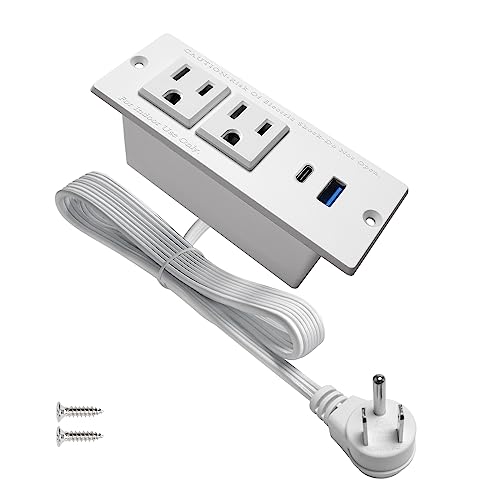 | Fire-Resistant Design | Charging Ports: 1x USB-C PD 20W, 1x USB-A QC3.0 (18W) | Cutout Size: Not specified (recessed mountable) | AC Outlets: 2 outlets (12A) | SEARCH BEST PRICE | Read Our Analysis |
| ApexDesk Desktop Power Grommet with Sockets and USB |  | For ApexDesk Users | Charging Ports: 2x USB-A (5V/2.1A) | Cutout Size: 3.15 inch (80mm) | AC Outlets: 2 outlets (12A) | SEARCH BEST PRICE | Read Our Analysis |
| Jgstkcity Recessed Power Grommet 65W USB-C 4 Outlets | 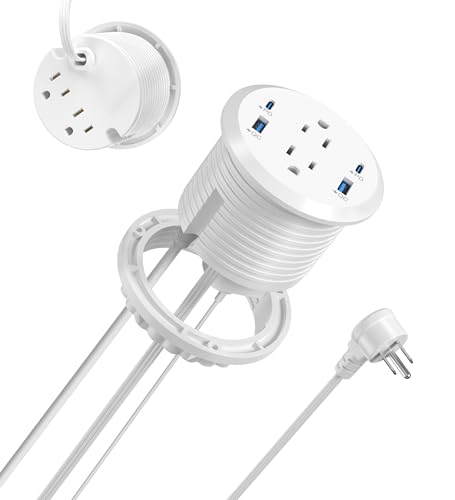 | Surge Protection | Charging Ports: 2x USB-C (65W), 2x USB-A | Cutout Size: 3 inch | AC Outlets: 4 outlets (12A) | SEARCH BEST PRICE | Read Our Analysis |
More Details on Our Top Picks
TOPGREENER Gold Desktop Power Grommet GaN 60W
This desk power grommet hides a 60W USB-C Power Delivery charger inside a steel body, so you get fast laptop charging and two USB-A ports plus a duplex outlet from one hole in your desktop. It removes the need for a separate wall charger, which keeps your workspace tidy.
Best for: A standing desk for a home office where you want to charge a laptop and phone without extra bricks on the surface.Biggest strength: The full 60W stays available even with the outlet and both USB ports running at once, so a heavy laptop won’t drain during use.Not ideal if: You cannot drill a 3⅛ inch hole in your desk, which rules out thin tops or rented furniture.How it compares: This is the cheapest pick here for built in GaN charging, and the 6.2 foot cord reaches most desk grommet spots without an extension.- Charging Ports:1x USB-C (60W PD), 2x USB-A (5V/1.5A)
- Cutout Size:3-1/8 inch diameter
- AC Outlets:1 duplex outlet (15A)
- Cord Length:6.2 ft
- Safety Certification:ETL-listed
- Mounting Style:Flush mount grommet
- Additional Feature:GaN technology
- Additional Feature:Gold color finish
- Additional Feature:3-year warranty
Haylink Recessed Power Strip with USB-C and USB-A
The Haylink Recessed Power Strip turns the existing hole in your desk into a built in charging hub. It powers a laptop, phone, and peripherals at once, so you can clear clutter and keep your standing desk ready for work.
Best for: The standing desk for a home office that has an open grommet and needs more ports without extra surface gear.Biggest strength: Two 65W USB-C ports charge a laptop at full speed, which is rare for a desk grommet.Not ideal if: Your desk lacks a 3 inch hole, since you cannot use this without cutting one or swapping your current grommet.How it compares: This is the fastest charging pick here, but the 6.56 foot cord and 45 degree plug still require you to reach under the desk for a clean fit.- Charging Ports:2x USB-C (65W each), 1x USB-A (20W PD)
- Cutout Size:3 inch
- AC Outlets:2 outlets (12A)
- Cord Length:6.56 ft
- Safety Certification:Not specified
- Mounting Style:Recessed/flush mount
- Additional Feature:45° angled plug
- Additional Feature:Built-in hole cover
- Additional Feature:Saves surface space
Desk Power Grommet with USB-C Charging
This desk grommet puts power where you need it, on top of your desk, so you can skip the search under the table. It fits into a standard 2 inch hole and gives you one AC outlet plus USB ports for charging.
Best for: A small room where a clean work surface matters more than extra features.Biggest strength: The nearly flush design, with only a 5mm raised edge, keeps your desk wipeable and free of clutter.Not ideal if: You need to power a high draw device like a desktop PC, since the single AC outlet is limited to 10 amps.How it compares: This is the most basic power solution here, trading extra outlets for a simple install that needs no electrician.- Charging Ports:2x USB-C (45W each), 1x USB-A (18W)
- Cutout Size:2 inch (50mm)
- AC Outlets:1 outlet (10A)
- Cord Length:6 ft
- Safety Certification:Not specified
- Mounting Style:Recessed, nearly flush (5mm raised edge)
- Additional Feature:5mm raised edge
- Additional Feature:Drop-in installation
- Additional Feature:No electrician required
VILONG 102W Recessed Power Grommet 8 USB Ports
The VILONG 102W is a recessed power grommet that hides eight USB ports and two AC outlets inside your desk. It gives you one clean spot to charge a laptop, phone, and tablet, so you can drop the nest of adapters on your floor.
Best for: A standing desk for a home office where you want to keep the surface clear and every cable out of sight.Biggest strength: The 67W USB-C port alone can run a large laptop, which beats most hubs that top out at 30W per port.Not ideal if: You need a permanent clamp or adhesive mount, since this model requires cutting or using a pre drilled 3.15 inch hole.How it compares: It is pricier than a basic USB wall wart, but it replaces eight separate chargers and keeps them from dangling off your desk edge.- Charging Ports:4x USB-C (67W max each), 4x USB-A (35W max each)
- Cutout Size:3.15 inch (80mm)
- AC Outlets:2 outlets (15A)
- Cord Length:Not specified
- Safety Certification:Not specified
- Mounting Style:Flush mount recessed
- Additional Feature:102W total output
- Additional Feature:GaN technology
- Additional Feature:Locking ring installation
Desk Power Grommet Outlet with USB-C
The VILONG desk grommet adds a USB-C charging port and an AC outlet right into your desktop, so you can power devices without reaching under the desk. It fits into a standard 2-inch hole and tightens with a collar, giving you a clean, cable friendly setup in minutes.
Best for: A budget conscious buyer who wants USB-C charging without paying premium desk grommet prices.Biggest strength: The 20W USB-C ports charge a phone or tablet fast, while the 10A AC outlet keeps your monitor plugged in, all from one compact unit.Not ideal if: You need a power solution for a heavy setup like a desktop PC and multiple peripherals, since the single AC outlet limits what you can plug in.How it compares: Priced below most USB-C grommets, it trades extra AC outlets and higher wattage for a simpler, no frills install.- Charging Ports:2x USB-C (20W), 1x USB-A (18W)
- Cutout Size:2 inch (50mm)
- AC Outlets:1 outlet (10A)
- Cord Length:6 ft
- Safety Certification:Not specified
- Mounting Style:Recessed, nearly flush (5mm raised edge)
- Additional Feature:Slim 5mm profile
- Additional Feature:No wall adapters
- Additional Feature:Simultaneous AC+USB
2.5″ Desktop Power Grommet USB-C & USB-A
This two and a half inch grommet fits pre drilled holes that most other power hubs can’t. It adds a flush mounted AC outlet plus two USB-C and two USB-A ports right on your desktop.
Best for: A best standing desk for a small room where a 2.5 inch hole is already cut and you want a clean, low profile power source.Biggest strength: The compact size fits tight spacing, and it sits flush for a professional look that declutters your desk.Not ideal if: You need to charge a laptop, because the USB ports cap at 20W for USB-C and 18W for USB-A.How it compares: It’s lighter on power than larger grommets, but it’s the cheapest pick here for a 2.5 inch hole and installs in seconds.- Charging Ports:2x USB-C (20W each), 2x USB-A (18W each)
- Cutout Size:2.5 inch
- AC Outlets:1 outlet (12A)
- Cord Length:6 ft
- Safety Certification:Not specified
- Mounting Style:Flush mount recessed
- Additional Feature:Cable management built-in
- Additional Feature:12A/1500W rating
- Additional Feature:Single-port USB-C use
Desk Grommet Power Strip with USB-C 6.5ft Cord
This grommet power strip turns a boring desk hole into a charging hub with seven ports. It clears clutter by keeping adapters off the surface and out of sight under a flush lid.
Best for: A home office user who wants the most outlets in one hole, with both USB-C and USB-A built in.Biggest strength: It packs four AC outlets plus three USB ports into a single flush unit, so you can charge a laptop, phone, and tablet at once without hunting for bricks.Not ideal if: You need fast charging, because each USB-C port tops out at 15W, which is slow for a modern laptop.How it compares: It offers more ports than the cheapest pick here, but the 6.5 foot cord is shorter, so check your desk distance to the wall outlet first.- Charging Ports:2x USB-C (15W max each), 1x USB-A (12W)
- Cutout Size:3.15 inch
- AC Outlets:4 outlets (15A)
- Cord Length:6.5 ft
- Safety Certification:Not specified
- Mounting Style:Recessed, flush mount
- Additional Feature:Dual-sided power strip
- Additional Feature:Flat plug design
- Additional Feature:Minimalist design
VILONG Desk Recessed Power Grommet with 20W USB-C
The VILONG Desk Recessed Power Grommet adds two charging ports and a grounded outlet right on your desktop, so you can ditch the power strip tangle. It drops into a standard 2 inch hole and tightens with a ring, no adapters needed.
Best for: A standing desk for a home office where you want a clean, built in power source for a phone and a few small devices.Biggest strength: The 20W USB-C port charges a modern phone at full speed, and the 6 foot cord reaches most desk setups.Not ideal if: You need to power a laptop or monitor, since the outlet is rated for 12A and the USB ports top out at 20W.How it compares: This is the simplest pick here, no motor, no height range, just a flush mount power port that takes five minutes to install.- Charging Ports:1x USB-C PD 20W, 1x USB-A QC3.0
- Cutout Size:2-2.4 inch (50-60mm)
- AC Outlets:1 outlet (12A)
- Cord Length:6 ft
- Safety Certification:ETL certified
- Mounting Style:Flush-mount round
- Additional Feature:QC3.0 fast charging
- Additional Feature:Locking ring install
- Additional Feature:Compact round profile
USB-C PD 20W Desktop Power Grommet
A tidy 2 inch power grommet that drops into your existing desk hole and gives you a 20W USB-C PD port, a USB-A port, and a standard outlet. It removes the need for bulky adapters and keeps your phone, tablet, and laptop charged without the cable clutter on a standing desk.
Best for: Anyone with a standing desk who wants a low profile way to charge devices without adapters fighting for space on the surface.Biggest strength: The 6 foot cable gives you real slack to route power cleanly, and the ETL listing means it is safe to trust near your work setup.Not ideal if: You need more than 20W for a larger laptop, since that output only comfortably handles phones and tablets.How it compares: This is the simplest pick here, a drop in replacement for a standard hole with no mounting hardware, unlike bulkier power strips you would have to clamp or stick.- Charging Ports:1x USB-C PD 20W, 1x USB-A
- Cutout Size:2 inch
- AC Outlets:1 outlet
- Cord Length:6 ft
- Safety Certification:ETL listed
- Mounting Style:Low-profile surface mount
- Additional Feature:Low-profile design
- Additional Feature:Easy installation
- Additional Feature:No extra accessories
100W USB-C Power Grommet 5 Outlets 4 USB
For tight desk setups, this is the space-saving champ, packing serious 100W USB-C power into a flush, dual-side design. You can charge a laptop and phone at once without hunting for bricks, thanks to the gallium nitride port that handles high demands fast.
Best for: A compact desk where wall space is precious and you need to power a laptop, phone, and older USB-A gear in one spot.Biggest strength: Five outlets plus four USB ports double your capacity without adding a power strip to the floor.Not ideal if: Your desk sits far from a wall outlet, since the 6-foot cord limits where you can place the grommet.How it compares: It is the cheapest pick here for high wattage, but other options offer longer cords or more outlets if reach matters more.- Charging Ports:2x USB-C (100W PD & 30W PD), 2x USB-A (18W)
- Cutout Size:4 inch
- AC Outlets:5 outlets (15A)
- Cord Length:6 ft
- Safety Certification:Not specified (1200J surge protector)
- Mounting Style:Flush-mount recessed
- Additional Feature:1200J surge protector
- Additional Feature:45° flat plug
- Additional Feature:Fire-resistant aluminum shell
Desktop Power Grommet with USB-C and Network Ports
This desktop power grommet is a flush mount connectivity hub for conference tables or home office desks. It turns a single cutout into a central point for power, USB charging, and a wired network connection, so you can drop bulky adapters and reachable power strips.
Best for: Desk setups that already rely on Ethernet, because the integrated RJ45 port keeps that connection tidy alongside the power cable.Biggest strength: The included 6FT extension cord and network cable, so you need no extra purchases to get it working.Not ideal if: You rely on wireless peripherals and cloud storage, because the network port then adds no value for the space it takes.How it compares: This is the cheapest pick here if you need a wired connection option, while other grommets skip the Ethernet port entirely.- Charging Ports:1x USB-C PD 20W, 2x USB-A (18W total)
- Cutout Size:3-1/2 inch
- AC Outlets:2 outlets (12A)
- Cord Length:6 ft
- Safety Certification:Not specified
- Mounting Style:Flush mount
- Additional Feature:Built-in RJ45 port
- Additional Feature:Includes network cable
- Additional Feature:Network access integrated
2-Inch Desktop Power Grommet with USB-C PD 20W
This 2-pack of desk grommets cleans up cable clutter by adding charging ports directly into your desktop. It gives you a USB-C PD 20W port, a USB-A port, and an AC outlet in one flush, low profile unit.
Best for: A small home office where you need one tidy spot to charge a phone, tablet, and laptop at once.Biggest strength: Its simple insert and go fit into a standard 2 inch hole, with no extra mounting hardware needed.Not ideal if: You need more than 20W for a larger laptop that charges fast, since this is built for phones and tablets.How it compares: It is a lighter duty option than the full standing desks here, but it beats any of them on price and takes seconds to install.- Charging Ports:1x USB-C PD 20W, 1x USB-A
- Cutout Size:2 inch
- AC Outlets:1 outlet
- Cord Length:6 ft
- Safety Certification:ETL listed
- Mounting Style:Low-profile surface mount
- Additional Feature:2-pack value
- Additional Feature:Seamless surface look
- Additional Feature:Low-profile design
USB-C Desktop Power Strip 2 Outlets 2 USB
This power strip mounts flush to keep workflows tidy and gives you two AC outlets plus two USB ports for desk side charging. It is a compact way to cut cable clutter while adding fast charging for phones, tablets, and small devices.
Best for: A home office where one hub for laptops, lamps, and phones beats a tangle of wall warts.Biggest strength: The fire resistant shell plus 20W PD and 18W QC3.0 ports that cut charging time by roughly a third compared to standard adapters.Not ideal if: You need more than two AC outlets for a full desktop setup with monitors, speakers, and a printer all plugged in at once.How it compares: The 6.56 foot cord and 100V–250V range make it more flexible for kitchens or standing desks than cheaper fixed outlet strips, though it costs a bit more.- Charging Ports:1x USB-C PD 20W, 1x USB-A QC3.0 (18W)
- Cutout Size:Not specified (recessed mountable)
- AC Outlets:2 outlets (12A)
- Cord Length:6.56 ft
- Safety Certification:Not specified (fire-resistant PC shell)
- Mounting Style:Recessed mountable
- Additional Feature:Wide voltage input
- Additional Feature:Fire-resistant shell
- Additional Feature:Saves 30-50% charging time
ApexDesk Desktop Power Grommet with Sockets and USB
This power grommet replaces the blank hole in your ApexDesk desktop with two AC outlets and two USB ports, so you can charge devices right at your work surface. It locks flush into the desk with a twist of the outer ring, which means a pulled plug will not knock it loose.
Best for: ApexDesk owners with an 80mm grommet hole who want a tidy, low profile power source for a standing desk for a home office.Biggest strength: The locking ring holds the unit firmly in place, so it stays seated even when you yank a cord out.Not ideal if: You need a lot of wattage, since the 1500W total and two USB ports at 5V/2.1A will not power a large monitor setup or fast charge a modern tablet.How it compares: It is a direct fit for Elite 71/60, Flex 71/60, and Vortex M desks, and its 9 foot cord reaches the floor even at full lift height, unlike shorter corded grommets that limit desk range.- Charging Ports:2x USB-A (5V/2.1A)
- Cutout Size:3.15 inch (80mm)
- AC Outlets:2 outlets (12A)
- Cord Length:9 ft
- Safety Certification:ETL listed
- Mounting Style:Flush-mount
- Additional Feature:Twisted-in lock ring
- Additional Feature:Fireproof ABS material
- Additional Feature:ApexDesk compatible
Jgstkcity Recessed Power Grommet 65W USB-C 4 Outlets
The Jgstkcity Recessed Power Grommet brings a 65W USB-C port and four grounded outlets directly into your desktop for a clean, wire free workspace. It also adds a tidy power solution for anyone with an existing three inch hole who wants to ditch a bulky laptop adapter.
Best for: A desk dweller who already has a standard 3 inch hole and wants a flush, discreet power source without cutting new wood.Biggest strength: The 65W USB-C port charges a laptop at full speed, so you can retire the giant wall brick for good.Not ideal if: You need more than one high wattage USB-C port, since the second USB-C is a lower power option for phones or accessories.How it compares: It is the most direct fix for an existing hole, unlike the cheapest pick here which often requires a fresh cutout for a new grommet.- Charging Ports:2x USB-C (65W), 2x USB-A
- Cutout Size:3 inch
- AC Outlets:4 outlets (12A)
- Cord Length:6 ft
- Safety Certification:Not specified (900J surge protector)
- Mounting Style:Flush mount recessed
- Additional Feature:900J surge protector
- Additional Feature:Flat plug cord
- Additional Feature:Supports PD/QC/PPS
Factors to Consider When Choosing Recessed Power Grommets for Standing Desks

Measure your desk’s hole size first, or a recessed power grommet will sit loose and wobble. That fit is worse than no grommet at all.
Then check cord reach from the grommet to your outlet. Compare USB-C power output for fast phone charging and count AC outlets for regular plugs.
Choose a flush mount profile. A grommet that sits above the surface is an elbow magnet.
Follow the manufacturer’s instructions for electrical use and cable safety.
Fit For Hole Sizes
A measuring tape is your new best friend here, because the biggest mistake you will make is buying a grommet that does not fit the hole already in your desk. Common cutouts run from 2 to 4 inches, but 76mm and 80mm dominate most setups.
A larger unit will not squeeze into a smaller aperture, and a smaller one leaves an ugly, insecure gap. Adjustable locking rings, such as 80 to 88mm or 50 to 60mm, give you flexibility.
Desktop thickness up to 2.4 inches needs longer collars for a flush grip. Reuse an existing hole if it matches the grommet’s range, otherwise you are drilling fresh.
Measure twice and buy once. Always check your spec sheet’s exact range, not just the nominal size.
Cord Length and Reach
Reach dictates your room layout before you even unbox the desk, so measure that cord before you commit. The standard cable runs 6 to 6.5 feet, which suits a typical 60-inch desktop but leaves little slack when the frame drops to seated height.
You don’t want tension pulling the cord during daily adjustments. Choose a 6 to 6.5 foot cord only if your outlet sits close to the desk’s frame.
Pick a 9 foot cord for L-shaped desks or awkward outlet placements. The extra length gives you room to route cables cleanly without stress.
Check the plug head shape before buying. A flat or angled plug hugs the wall and frees up space behind your desk.
That small detail prevents you from rearranging your office just to fit the cord. When unsure, choose the longer cord and tuck away the excess.
USB-C Power Output
USB-C ports are everywhere, but wattage is what matters.
20W is fine for a phone, but a MacBook needs at least 60W or 65W, especially at a standing desk.
That higher wattage comes from Power Delivery (PD), a protocol that lets devices negotiate up to 20V for fast, safe charging.
Plugging in two cables can drop that 65W to 30W, so check the fine print.
Some premium grommets keep full output on all ports, while others prioritize the first device.
Non-PD gear still charges safely at 5V, so you won’t run into problems with older accessories.
Look for 65W+ on a single port.
Also verify how shared wattage behaves when you add a second cable.
Match the port to your laptop’s power needs, and don’t trust the headline number without reading the specs.
AC Outlet Capacity
Check the AC outlet capacity behind your grommets before plugging anything in. Grommets typically carry 10A to 15A outlets, and a 15A unit handles 1800W at 125VAC.
That wattage runs a hefty monitor and a power strip full of gear without issue. A 12A rating supports 1500W, which powers a laptop and monitor easily.
Standard duplex outlets run at 125VAC and 60Hz, matching typical North American power. Higher amperage matters when you have power-hungry peripherals like external drives or speakers.
Verify the grommet’s rating against your circuit’s breaker capacity. Overloading a wall outlet is an easy mistake to avoid by checking the manufacturer’s instructions for your desk model.
Go with 15A for large monitors or multiple devices. For a basic desk setup, 12A does the job fine.
Match the outlet to your breaker, and your setup stays safe.
Flush Mount Profile
A grommet does not have to stick up like a plastic island on your desk. A flush mount profile sits nearly level with the surface, often with just a 5mm lip about the thickness of a coin.
You get a smooth, wipeable area where nothing snags your sleeve or catches cords. Recessed designs remove protruding bits that clutter your workspace and create tripping hazards.
They save space because you are not stacking a bulky power strip. Instead, ports integrate directly into the surface.
Installation is a drop-in affair. You secure it from underneath with a locking ring, and the top sits recessed.
That gives you a clean, minimalist look without the footprint of adapters. For a tidy standing desk, flush wins.
Safety Certifications
A flush mount keeps the surface clean, but the electrical components underneath need proper protection. Safety certifications are non-negotiable, so look for an ETL listing, which means a lab tested the unit against North American standards for electrical and fire hazards.
Certified units get checked for surge protection, fire-resistant housings, short circuits, overcurrent, overvoltage, and overheating. They also verify safe operation from -4°F to 140°F.
Receptacle ratings matter. You will typically see 15A/125VAC/60Hz, which caps the draw to prevent wiring damage.
UL or ETL compliance confirms that materials meet fire-retardant and insulation requirements. Skip uncertified grommets.
You do not want your desk to become a smoke alarm’s best friend. Spend a few extra dollars on a certified unit, and follow the manufacturer’s instructions for electrical use and cable safety.
Frequently Asked Questions
Will These Grommets Fit a Desk With a Metal Frame or Hollow Core?
Yes, these grommets will fit a desk with either a metal frame or a hollow core, provided you prepare the desk correctly. You will need a 2.5 inch hole, and your desk thickness must be within the grommet’s stated range, so measure both before cutting.
For metal frames, check the depth clearance under the desk to ensure cables and plugs have room to pass through without pressure. For hollow cores, use the included brackets to secure the grommet, as they grip the inner panel for stability.
Always verify your desk’s hole diameter against the grommet’s outer sleeve, since slight variations affect fit. If your desk’s top is unusually thick, compare it with the manufacturer’s spec for the grommet, because models differ.
One concrete tip: use a hole saw with a pilot bit to cut cleanly through veneer or laminate, reducing splintering. For related terms, search “desk grommet depth clearance” if you need more details. Follow the desk’s assembly instructions for any frame modifications, and check the manufacturer’s specs when unsure.
Can I Install a Recessed Grommet Without Cutting a New Hole?
Yes, you can install a recessed grommet without cutting a new hole, as long as you are swapping it into an existing standard grommet opening. Simply remove the old insert and check that the recessed model fits the same diameter, since sizes vary by brand and series.
If you do not have a hole yet, you will need to cut one. Measure the grommet’s outer rim carefully and mark the center before drilling. Use a hole saw that matches the manufacturer’s recommended diameter to avoid chipping the desk surface.
For a smooth fit, lightly sand the cut edge and test the grommet before pressing it in. Always check your desk’s manufacturer specifications, as hole depth and thickness can differ. A related term to search is “desk cable pass-through.” In my experience, measuring twice beats recutting every time.
Do These Power Grommets Come With a Surge Protector Built-In?
No, these power grommets do not come with a built-in surge protector, so you will need to check the specs for each model you consider. If surge protection is important to you, look for a power grommet that explicitly lists it in the product details or packaging.
When the grommet lacks it, you can plug a separate surge protector into the unit, though that adds extra cables and somewhat defeats the decluttering purpose. A practical tip is to use a surge-protecting power strip with a flat plug and mount it under the desk, then run only the grommet’s cable into it. For electrical safety, always follow the manufacturer’s instructions for both the grommet and any added protector. Related terms to search for include “desk power outlet with surge suppression” to find built-in options. Check your desk’s manufacturer specifications, since hole sizes and power requirements differ by model.
What Is the Maximum Thickness of the Desk Top for Installation?
The maximum thickness of the desktop for installation is typically up to 1.75 inches for most recessed grommets, but you must check the specific model’s limit. Each grommet differs, and a thicker top will not seat the housing flush, which can cause wobble or misalignment.
Measure your desk edge before buying, and compare that depth against the product’s cutout spec sheet. For a quick tip, use a caliper or a simple ruler at the thinnest point near the edge, not the center.
If your top exceeds the listed depth, look for a low-profile or pass-through grommet that mounts from below. When in doubt, follow the manufacturer’s instructions for your desk model, since dimensions vary across brands. A related term to search is “desk grommet depth range” for more options.
Are These Grommets Safe to Use With a Power Strip Daisy-Chained?
Using grommets to route power strips is fine, but daisy-chaining them through the grommets is not safe. You risk overloading the circuit, overheating the cables, and creating a fire hazard.
Plug your power strip directly into the wall outlet, then run only the strip’s cord through the grommet. Check the grommet’s amp rating before use, and always follow the desk manufacturer’s instructions for cable routing.
For a quick tip today, use a short, heavy-duty extension cord from the wall to the strip, keeping the strip itself on the floor. If you need more outlets, consider a surge protector with a longer cord instead of chaining strips. This setup avoids the dangerous practice of daisy-chaining and keeps your desk tidy.
Always verify your desk’s specs, since models differ, and never exceed the strip’s rated load.
Rounding Up
The right recessed power grommet clears your clutter without a dozen extras, and the article’s main question is which model fits your desk best.
Measure your desk’s hole first, unless you enjoy sawing a bigger one.
Check for a recessed model with USB-C, like the 65W Jgstkcity, to handle both power and charging.
Test your cable setup against the stat that 68% of desk clutter comes from cables, not paper.
Compare prices around $40 to keep your spend reasonable.
Never trip on a charger again, and keep that clean desk for your brain.